We remain fully operational. Our teams are working around the clock to ensure your deliveries continue safely.

DOWNLOAD THE APP


Copyright © 2025 Desertcart Holdings Limited
DOWNLOAD THE APP


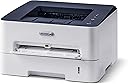
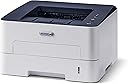
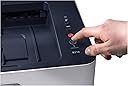

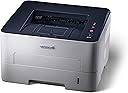


⚡ Print smart, print fast, print green – the future of office efficiency!
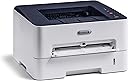
The Xerox B210DNI is a compact monochrome laser printer delivering up to 30 ppm with wireless and Ethernet connectivity. It features automatic duplex printing, advanced security protocols, and eco-friendly certifications, making it ideal for busy professionals seeking fast, secure, and sustainable printing solutions.


| ASIN | B07VZ1WD19 |
| Additional Printer Functions | Print Only |
| B&W Pages per Minute | 31 |
| Best Sellers Rank | 317,417 in Computers & Accessories ( See Top 100 in Computers & Accessories ) 509 in Laser Printers |
| Box Contents | Xerox B210 Printer, starter toner cartridges (1,000 pages) Software and documentation CD, Installation guide, Quick use guides, Power cord & USB cable |
| Brand Name | Xerox |
| Color Pages per Minute | 31 ppm |
| Colour | White/Blue |
| Compatible Devices | Laptops, Smartphones |
| Control Method | App |
| Controller Type | Android |
| Customer Reviews | 4.0 4.0 out of 5 stars (484) |
| Display Type | LED |
| Dual-sided printing | Yes |
| Duplex | Automatic |
| Hardware Interface | Ethernet, USB 2.0 |
| Initial Page Print Time | 8.5 seconds |
| Ink Colour | Blue, White, CMYK |
| Item Dimensions D x W x H | 13.2D x 14.5W x 8.4H centimetres |
| Item Type Name | Laser Printer |
| Item Weight | 7.56 Kilograms |
| Manufacturer | Xerox |
| Maximum Copy Resolution Black and White | 600x600 dpi |
| Maximum Copy Resolution Color | 1200x1200 dpi |
| Maximum Copy Speed Black and White | 30 ppm |
| Maximum Print Resolution Black and White | 600x600 dpi |
| Maximum Sheet Capacity | 250 |
| Maximum Supported Paper Size | A4 |
| Maximum print Resolution Color | 600 x 600 dpi |
| Model Name | B210 |
| Model Number | B210V_DNI |
| Model Series | B210 |
| Network Connectivity Technology | Wi-Fi, Wireless |
| Number of Ethernet Ports | 1 |
| Number of Trays | 2 |
| Other Special Features of the Product | Built-in Wi-Fi connectivity and Wi-Fi Direct. |
| Output sheet capacity | 250 |
| Paper Size | 8.5x14 |
| Print media | Card stock, Envelopes, Glossy film |
| Printer Output Type | Monochrome |
| Printer Type | Laser |
| Processor Count | 1 |
| Product Warranty | 1 year manufacturer |
| Resolution | 600 x 600 |
| Scanner Type | Sheetfed |
| Specific Uses For Product | Office |
| Total USB 2.0 Ports | 1 |
| Total USB Ports | 1 |
| UPC | 095205891607 |
| Unit Count | 1.0 count |
| Warranty Type | full warranty |
| Wattage | 55 watts |
A**R
Easy set up and use
The printer was easy to set up, after reading previous review and being a Mac user I was a little worried that I'd ordered a bad printer. This is not true. The computer I used was a Apple MacBook Air with the M1 CPU. The printer arrived with UK power lead, EU power lead, USB A cable, CD-Rom, and several quick start guides for different languages. Powering on the printer and connecting to the computer via the USB cable resulted in the printer appearing on the Mac, no installation of drivers or software was required and as a test print I printed a data sheet document off. The printer defaults to duplex mode (two sided printing) but this is just a simple option to select when printing to change to single sided. Note : The 30PPM speed is single sided printing, double sided will be reduced as the printer has to print one side, pull it back in and print the other side. Setting up wifi was easy, on the Xerox website is the WiFi Setting program. The only issue was initially the program said no printer attached but unplugging and re-plugging the USB cable solved this. You then select your wireless network and a password to access the printer if doing remote printing. Disconnecting the USB when prompted meant the set up was complete. As a test another data sheet was printed this time over wifi and a third was printed using an iPad with air print (again the double sided option can be easily togged when printing). I've seen many complain about the config page printing when the printer powers on, a search on google showed this is also easy to change. In a web browser simply type in the IP address of the printer on your local network ie 192.168.0.xxx and this will bring up a config screen which you log into using your printers serial number as the default password. Under the settings tab there is a enable/disable option for the configuration page to be printed on start up. The printer is easy to use and configure, in single sided printing it is very fast and also operates and a good speed for duplex (double sided) printing too. Don't be worried about ordering this printer, its very easy to set up and use. One point to make you will need a PC / Mac to setup wifi, you can only use ethernet or wifi - not both together. For a £100ish printer this is a good value printer that gives good speed and print quality.
R**.
Great value and easy to use.
Amazing value. I have printed on paper and 160g card from my iPhone and Windows 10 PC all via my Ethernet network. It prints effortlessly and with great quality. It has a plethora of interface standard both in terms of hardware sockets and software standards. Double sided printing is easy and automatic if you want. It can be left on all the time as it consumes just 1W in standby (about £2 per year!). Don’t worry about the reports of it wasting paper - it doesn’t - unless you have the option to print header pages etc switched on. Only had a week so can’t vouch for its reliability. In Europe the included toner is good for about 1500 pages so that’s a real bonus value-wise. Will be recommending to friends!
P**S
Faulty Unit received
The printer came well packaged with very fast delivery by Amazon. The instructions were not the best. It was unclear in the pictures as to what parts had to be removed for the initial set up. Installation of printer drives was dead easy. The actual unit had a really small footprint and small size. It could easily be at home in a small office or a busy household. The printer actually looks a lot dearer than the price paid. The test page was just grey. After a reboot, managed to get it to print various documents. The print quality was very poor. Additional ink was left on the print with what appears to be repetition from a few lines above. The paper smudges easy. Even after a few hours. The ink felt that it was not fixed and had a strange texture. I had to look for a trouble shooting guide online. Very disappointed with the printer. It reminded of printing in the 1980s. I spoke with Amazon technical support (through the order link). They were great and concluded very quickly the printer had a fault. Refunded money by Amazon and they provided me with a Royal Mail label to return it. I am sure that this is a decent quality printer and I just received a faulty version. However on my experience I cannot recommend it. On a positive, everything required was supplied in the box including Euro and UK power cable USB cable. Never got to test the Wi-fi as it seemed pointless after it was apparent that it was faulty.
M**.
Good quality and fast printing
Bought this printer after some years with a non wireless colour laser Realised that basically 99% of my printing was black and white, so why bother with the multi inks and tiresome constant resetting of the 'use black and white only' features. This printer has been excellent so far (a few months in) when considering its cost (printers seem to have come down in cost quite a bit the last few years..) and the quality/speed it operates at. Laser cartridges for it also seem reasonably priced for the number of sheets they (allegedly?....) print. I only have one criticism, and that's the set up of the wireless connection, which has to be done via USB - I consider myself a reasonably advanced PC user as I've had one for at least 25 years, and also work in IT, but the set up on this drove me nuts - possibly even more so as when it worked (eventually) there seemed to be no logic as to why it had suddenly worked - this frustration led me to knock a star off the overall rating.
A**R
Reliable and simple
Fast, reliable, cheap, small, easy to use. The kids use it all the time and it's so easy to use they don't need any help from me. Nice clear print, and toner is a lot cheaper than ink, so very happy with this.
D**.
great printer dismal instructions
There is a rumour that both Bill Gates and Steve Jobs got their ideas from the Xerox corporation. The Xerox B210 printer confirms this reputation. it’s performance is outstanding . where it fails is on the instructions . there are 20 videos and 50 PDFs of instructions available . All complicate life beyond comprehension. Concentrate on unpacking the toner cartridge and connecting the printer temporarily with a USB cable to set up the wifi , et VOILA! send print from my iPhone.
B**C
Buen producto y servicio, lo mejor los mensajeros, que se lo curran muchisimo. Nada que ver con los de las mensajerias tradicionales. Evidentemente a casos personas y hay de todo, per de Amazon ni uno malo, asi que mimadlos.
B**I
Ich war etwas erschrocken, was die Verfügbarkeit von Laserdruckern zu Corona Zeit ist, da viele Geräte selbst bei Amazon erst in 2 Monaten wieder verfügbar sind. Nach einigen Recherchen bin ich dann am Xerox B210 hängengeblieben, da er WiFi unterstützt, was für mich das Hauptkriterium war. Ein monochromer Laserdrucker sollte es sowieso sein. Sicherlich gibt es bes. auf den Tonerverbrauch betrachtet, noch günstigere Geräte, aber für mich im Privatgebrauch einer 4-Köpfigen Familie reicht vermutlich die Tonertrommel, die mitgeliefert wird, für die nächsten 5 Jahre aus. Ich habe für 9 Euro zusätzlich eine Garantieverlängerung abgeschlossen, da mir das bei einem Drucker schon sinnvoll erscheint. Jeder, der beruflich schon mal mit Druckern zu tun gehabt hat, weiss das die Walzen auch mal Ärger in Form von Papierstau etc. machen können. Den Drucker hatte ich jedenfalls mittels WPS Funktion innerhalb 10 Sekunden mühelos an meiner FritzBox angedockt und konnte sofort über mein Android Handy einwandfrei PDF-Dokumente drucken. Auf meinem Notebook habe ich unter Windows die Software installiert und konnte ebenfalls sofort losdrucken. Ich habe dann noch ein paar Einstellungen im Webinterface gemacht und seit dem steht der Drucker in einem kleinen Raum bei mir im Keller, wo er nicht stört und darauf wartet, über WiFi mit Aufträgen gefüttert zu werden. Ich habe die automatische Abschaltung deaktiviert und Timer für die Energiesparmodi 1 und 2 gesetzt. Im Energiesparmodus 2 ist das Gerät nun jederzeit via WiFi erreichbar und verbraucht knapp 1 Watt - so hatte ich mir das vorgestellt. ;) Die Duplexeinheit funktioniert übrigens auch einwandfrei. Für das Geld, ich habe knapp 99 Euro über den Marketplace bezahlt, habe ich für meine Zwecke alles richtig gemacht und kann das Gerät bedingungslos empfehlen! Achtung! Ich muss hier noch mal zwingend nachträglich editieren. Das ein Gerät nicht quasi komplett ausgeschaltet und via WLAN geweckt werden kann, sollte eigentlich klar sein, aber es wird hier immer wieder gern moniert. Wenn man den Drucker in den richtigen Erergiesparmodus versetzt, verbraucht er knapp 1 Watt und ist immer sofort via WLAN erreichbar. Das ist auch völlig normal, da ein Microcontroller nun mal auch Strom verbraucht, wenn ein WLAN Netz dauerhaft zur Verfügung gestellt werden soll. Was das Einrichten des Druckers, insbes. auch das Verbinden mit dem WLAN betrifft, so fehlt den meisten Usern mit Sicherheit das nötige Grundverständnis. Bei mir hat es wie gesagt reibungslos und auf Anhieb funktioniert. Auch der Punkt mit der Seite beim Starten lässt sich ja problemlos per Google lösen und deaktivieren. Sorry, aber das musste ich noch mal loswerden, weil bei den Leuten, die diese Punkte kritisieren, der Fehler vor dem Bildschirm sitzt. ;)
L**E
Imprimante compacte et facile d’utilisation. Qualité d’impression excellente. Temps d’impression correct. Petit bémol (peut-être) : le son à l’impression (un peu moins silencieux que les imprimantes Laser Pro). Néanmoins le son n’est pas désagréable du tout. Très satisfaite de mon achat. (Merci aux avis des utilisateurs précédents). Je recommande sans souci pour une utilisation quotidienne chez soi, peu intensive donc (voire petite activité pro). A voir sur la durée si l’appareil reste efficace.
S**E
La uso ormai da qualche mese. L'ho collegata al mio router di casa. Basta connetersi alla rete wifi e posso stampare con facilità sia da smartphone che da laptop.
O**E
Initially I got a defective printer, wifi option was not working on that .. I replaced that and got a new printer..New printer is working fine and I am happy with my decision of buying Xerox printer Pros : best print quality Multiple options for paper input Wifi is working seamlessly Built quality is very good Cons : much power consumption
Trustpilot
2 days ago
3 weeks ago