Buy anything from 5,000+ international stores. One checkout price. No surprise fees. Join 2M+ shoppers on Desertcart.
Desertcart purchases this item on your behalf and handles shipping, customs, and support to Bermuda.
🎥 Capture Every Moment, Relive Every Frame — No PC, No Hassle!
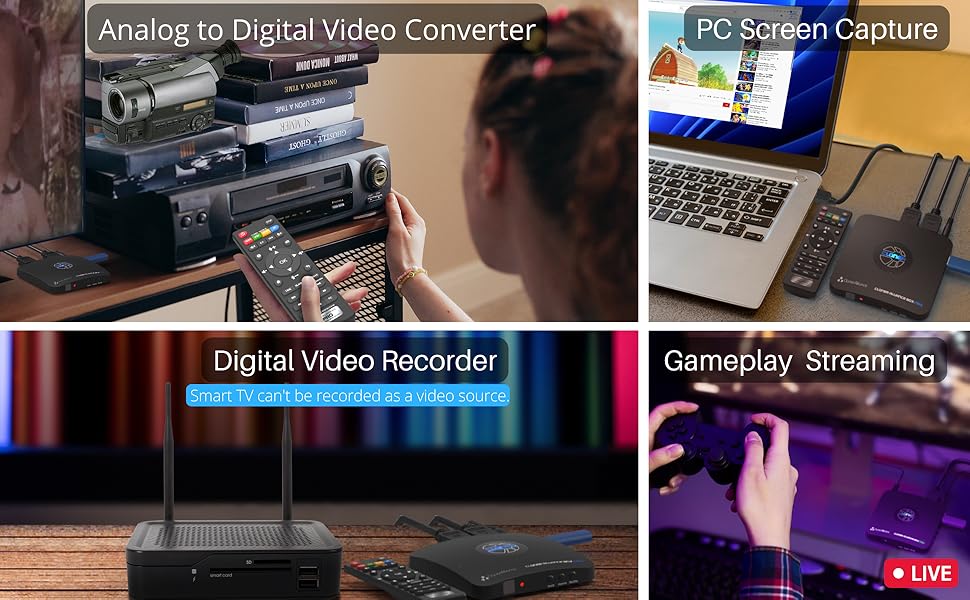
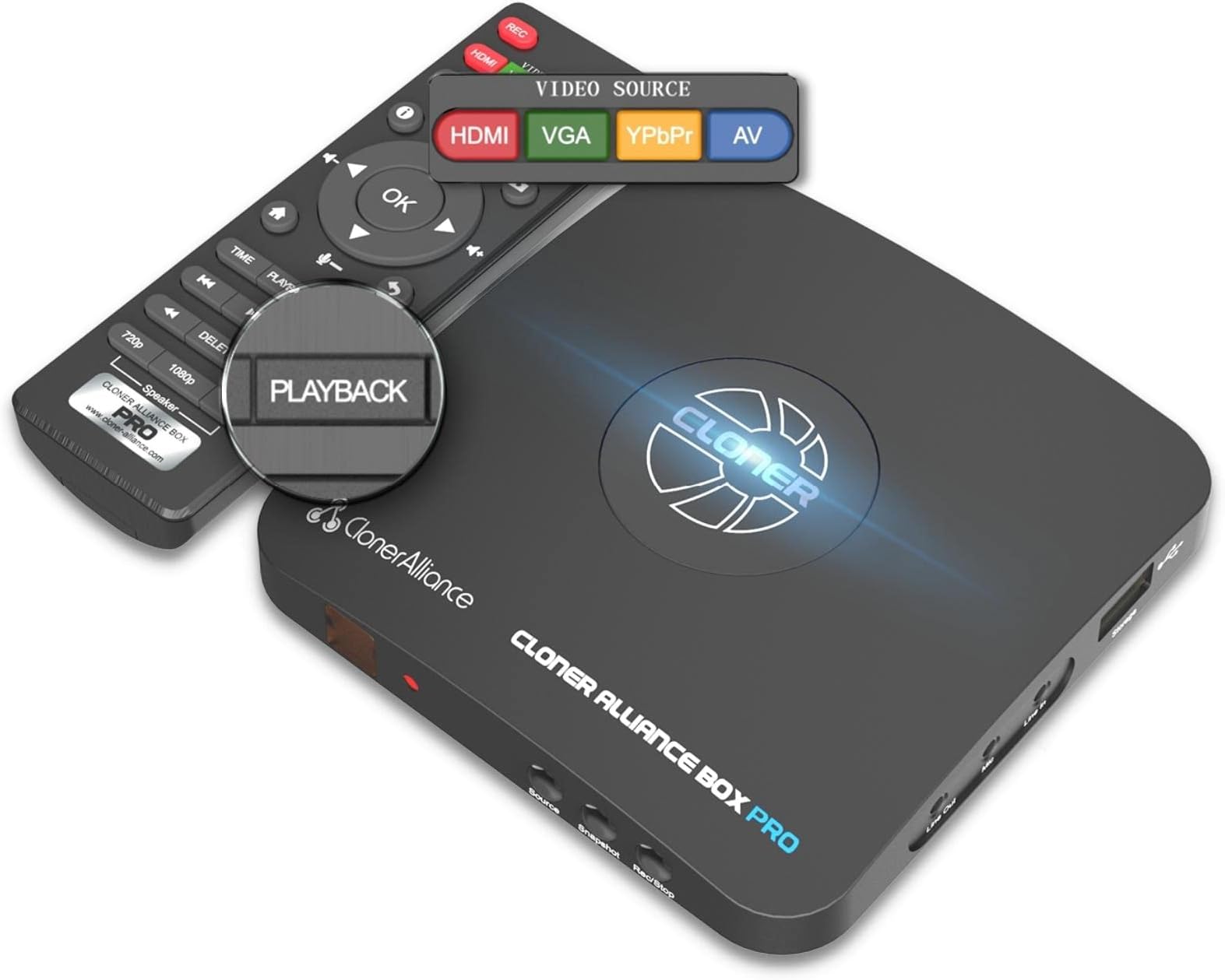
The ClonerAlliance Box Pro is a professional-grade standalone video recorder and converter that captures 1080p@60fps video from HDMI, RCA, YPbPr, and VGA sources. Designed for millennials who value preserving analog memories and streaming content with ease, it supports scheduled recording and instant playback on TV without needing a PC. Compatible with a wide range of devices from VHS players to game consoles, it delivers ultra-low latency and saves high-quality MP4 files on USB drives. Included free editing software empowers quick, lossless video trimming and combining, making it the ultimate tool for digital archiving and content creation.


| ASIN | B012T1D0IG |
| AV Output | MPEG-4 |
| Antenna Location | Video Recording |
| Best Sellers Rank | #32 in Internal TV Tuner & Video Capture Cards |
| Brand | ClonerAlliance |
| Built-In Media | Capture Card |
| Compatible Devices | Television |
| Customer Reviews | 4.0 out of 5 stars 2,099 Reviews |
| Hardware Interface | 3.5mm Audio, Component Video, Composite Video, HDMI, Micro USB 2.0 Type B, USB 2.0 Type A, VGA |
| Item Dimensions | 4.3 x 4.3 x 0.6 inches |
| Item Weight | 6.8 Ounces |
| Manufacturer | ClonerAlliance |
| Mfr Part Number | CA-998P |
| Minimum System Requirements | No PC Required |
| Model Name | ClonerAlliance Box Pro |
| Model Number | CA-998P |
| Operating System | Windows |
| Other Special Features of the Product | Passthrough Latency, Schedule Recording |
| Platform | Windows |
| Recommended Uses For Product | Video Recording |
| Special Feature | Passthrough Latency, Schedule Recording |
| Tuner Type | NTSC, PAL |
| UPC | 712395957967 |
| Unit Count | 1.0 Count |
| Video Capture Resolution | 1080p |
| Warranty Description | 90-Day No Hassle Return (at our cost) and 2-Year replacement Service. |
P**S
Works as advertised
Bought a Box Pro to replace my old VHS/DVD setup that finally bit the dust (and they stopped making new VHS recorders around 2014). Box Pro works great so far (see notes below) and I am able to record off my cable box as well as my Roku device. The Box Pro provides different input ports so I have both devices connected to the Box Pro simultaneously and use the Box Pro remote control to select the port/device I want to record from. Playback works as advertised and Box Pro provides two different playback resolutions. The company also provides digital editing SW that come free with the device ....I downloaded the SW but have not had time to use it yet. Things to be aware of: > You definitely need get a high quality flash drive or HD....Had an issue with an inexpensive flash drive but bought a Toshiba HD as recommended & so far no issues > User manual is cursory & needs to provide more detail > Box Pro can only Fast Forward at 10x in playback so 'zooming' through commercials is slower that I was able to do with VHS (a case where digital is not better than old school) >Playback always starts from the beginning so if you want to take a break during playback, you have to leave the Box Pro in the stopped screen mode....this means you can't record anything else until you jump back to the main menu (WHICH RESETS ALL PLAYBACKS TO START FROM THEIR BEGINNING...WHICH MEANS YOU LOSE YOUR PLACE).... in other words, you won't be able to return to watching a movie where you left off once to leave the 'stopped screen'...Note that the 10x 'fast forward' is ''lethargic' ... for example it takes 'multiple' minutes to get back to where you left off even if you remember where you left off (say you were 1 hour in to a movie)....This 'feature' also means you can't playback/save your place on multiple recorded sessions either....Box Pro only allows you to stop a single playback at a time.......I never had this issue with VHS, using multiple tapes but I guess this is progress!? Bottom line, I am happy with my purchase and it is worth the price.... thought it can be improved (I sent these suggestion in to the Box Pro customer service and they said they would pass them on to development).....We shall see
B**Z
This thing has so many features, it's almost a must-have for everyone.
When we first got this box, it seemed like it didn't work at all. We were ready to ship it back. But as other people have indicated these guys have great customer service and helped us get it up in running within a day. You have to hold down the power button for a long time to get it to turn on the first time you use it. Just pressing the power button, or even holding it down for a few seconds, does nothing. Just keep holding it down and eventually the thing will turn on. I bought this to capture videogame footage for my youtube channel, and it works spectacularly for that, but the multitudes of additional features give it far more functionality than that. All those extra features also makes this far superior to other gaming capture cards on the market too. Since it has a remote, you can start and stop your captures without having to trek across the living room to the TV, which is spectacular. But the box is also capable of playing back the video you record instantly right on your TV, without being attached to a computer. This makes the box essentially function much like a DVR - except with external usb drives, so you can just swap out a new device any time your drive gets full, rather than trying to deal with replacing an internal hard drive, or deleting old files to make room for new ones. It even has a timer, so you can set it to start recording at a specific time - although this functionality is limited and won't have as much versatility as an actual DVR. You can only schedule a single recording at any given time. The video doesn't have a lot of compression, so the files are quite large. If you were using this for movies that you're planning to keep, such as backing up and digitizing your blurays or dvds, you'd probably want to run the files through handbrake or a similar file compression/conversion tool to get the files down to a reasonable size. You can choose to record at various resolutions, including 1080p, 720p, and a PC setting that can vary slightly, and you can choose between a few odd resolutions by pressing the PC button multiple times. Video is saved as mp4 file type, with h.264 compression. Long story short, that means the files will be readable by almost any device that can handle video. You can also take still images, which are saved as .jpg. I would have preferred something with lossless compression like a .png, but this isn't a huge issue. Additionally, the device can read and play back many different types of video, music, and image files, and even txt files, so you can use it as a media box, transferring various types of media to it for playback on your TV, beyond just what the box is capable of recording. You press the playback button on the remote and it switches your display on the screen to a menu where you can select and play back various files. All this is available without running the box through a PC. The device comes with a MMI cable converter that allows you to connect VGA, Component cable, or AV input - allowing you to connect almost any device to it for recording. I only use the HDMI input myself, but it's nice that I could connect a non HDMI computer video output to the device if I needed to. The actual video quality seemed a little lower than my last capture card at first, but then I realized I was recording at a lower datarate. You can actually choose between three datarates - high, medium, and low, from the device's menu settings, in addition to the resolution setting. The highest data rate is around 16MB/s, which is very high quality. There is some signal loss with this device. My previous setup, running through a splitter, was not viable. It caused an extremely grainy picture with terrible artifacting. Luckily, this device can bypass HDCP protection, allowing me to record my videos without needing the splitters. After removing the splitters from the chain my video came through just fine. I still run everything through an HDMI hub so I can switch between multiple game systems as needed. The recorder changes resolution output based on the output you select on the remote, allowing for changes with the press of a button, which is also extremely convenient for recording game footage, because I can adjust my resolution without having to take the time to go through the game console system settings. The box also has both in and out jacks for audio, so you could use it to add a headphone jack to any device you're using, or to add commentary to videos with a microphone. You may have to do a firmware upgrade on the device to enable some functionality. This can be kind of a technical process, but from what I've heard the customer support is great if you need their help installing the newest firmware. I didn't have any trouble doing this, but if you're not used to doing this type of thing it could be difficult. After the update you can create large video files - taking up the full space on your attached drive in a single file. The drive needs to be formatted to NTFS file system to do this. Without the update, video files will be broken down into a maximum of 2G file sizes. I don't have the device attached through my PC. I don't need that functionality and was specifically looking for a box that I wouldn't have to run through my PC to record. But it's nice to have the PC option available to me. This makes it possible to do streaming setups and a few other options if you wanted to use it for that. I also haven't tried out any of the software that came with the device. It's just not anything I need. I have other tools for doing these jobs. One complaint I have is the naming convention. It's just a bunch of nonsense numbers - which seems pretty random, and can sometimes apparently place a video you just recorded right in the middle of a group of videos, making things difficult to find at times.
G**.
Pretty good unit and does what is advertised. Missing 5.1 surround output though
I had issues with the unit properly performing when formatting my Sandisk 256 GB 3.0 USB drive to NTFS. Yes....you get one large file but it's not worth the issues and features you lose on the unit. I had to format the drive with FAT32. The unit then corrected all the issues I experienced which if it hadn't it would have been returned. Issues which were: 1. FFWD and RWD feature of my recordings did not work. RWD gave "not supported" message and FFWD just gave choppy forward movement at no accelerated pace. 2. Encountered audio/video lip sync issues. (Still occurring but not as severe) 3. Resume playback feature didn't work. FAT32 format fixed all the above. My main motive of using this unit is to record streaming content off my Roku to FFWD through all the commercials. The FAT32 format produced and split about 2 GB files in Medium bitrate recording which was just about a 30 minute file recorded at 1080p. The cool thing is the unit jumps right to the next file thats recorded if it's say splitting up a program you were in the middle of recording. Pretty much uninterrupted playback. I was concerned you had to go back to the unit menu and select the next file and then continue to play the program you were watching that was split but it does this on its own. I don't see too much difference if at all between the medium and high bit rate recording setting so I'm leaving in medium to avoid the file splits to be somewhat less. I've tested the unit a week so far and had to work through their chat tech support to sort through some of these items I experienced but so far so good. They were helpful. My biggest gripe so far is that the unit does not have recording output of DD 5.1 or DTS Surround. For the cost of this unit it should have it. Tech support says they didn't ave any plans as of now to support these audio formats in a firmware update. Perhaps the hardware in this unit can't support. That's the only shortfall I see for this unit and hope they can update it at some point to include. Otherwise at this point even though you may be receiving a 5.1 audio format into the unit to record, it only pushes out stereo sound. I would have given 5 stars if not for this detail. Another gripe is I wish you can label the recording in the menu so you know what you have recorded per specific file. You have to pretty much let the video preview to get an idea of what you recorded which is hard when you really start filling up the library on the USB drive. I'm not using this device to audit the clips on a PC. I'm pretty much just using for direct playback. Heat the unit produces is another concern as some other reviewers stated but they will stand behind the product and cover for 2 years. Anything goes wrong they will replace no questions asked. I'm a pretty big A/V enthusiast that knows his stuff and pretty impressed with this thing so far with what it can do. Also having a splitter to bypass the HDCP is a must have if your connecting strictly with HDMI cables.
T**M
Good, bad and clunky
This item does work, but don't expect an trouble free experience. This device has a very clunky user interface from the outset. The menu system pops on and off seemingly at will. i have owned the device for several weeks and still have not been able to get it to execute scheduled recordings - even after entering the meticulous info required (in military time) to schedule events. nonetheless, recording via the '(start) rec' and 'stop' button do work as expected - but u have to monitor the recording time. One unusual feature of the device is that with most input devices you will have to press and hold the 'source' button' on the cloner-pro for 5-6 seconds for the signal to get to the device from the input. Another concern for some will be the size of files produced: in the highest quality recording - the device will produce a file of about 6gb per hour recorded. A 2 hour movie will be 12gb in this format. And, if your usb device is formatted ad NTFS this will be one file. Whereas if your usb device is formatted as FAT32 - this will be split into multiple 2gb files (or smaller depending on time recorded). Further, if you plan to 'upgrade/update' the firmware - your usb device will need to be formatted as FAT32. However, my update did not yield any improved functionality. Nor, did it cure the scheduling issue. i enjoy gadgets. but i cannot recommend this item - especially to someone who does not understand how to format usb devices using different file systems. the hardware of the device appears well made from quality components (relatively speaking). But, the onboard software is frustrating and somewhat unpredictable. The resulting recordings are good quality. But, on more than one occasion the device did not close the files out properly and all files on the device were lost. it is my hope that a serious firmware/software update will cure most of these issues at some point in the future. Support via email was good and quickly responded to my concerns (this is a real plus in my experience). All things considered - a good device that delivers quality recordings, good support via email - but, medium to low quality software onboard.
P**E
Excellent picture and simple remote recording. Lifesaver for streaming and DVR recording.
Updating my 4 star review to 5 stars! This unit is reliable and versatile (after using it for a while, you get a better appreciation of the features). I had been searching for an HDMI recorder for a while, but the prices were crazy .. this one is worth the money! Many streaming services have great content, but pesky ads and often inconvenient windows for seasonal offerings (e.g. Christmas shows / movies in October or March). Also, busy people have little time to see their favorites before they disappear. Add to that, those annoying cable / satellite DVR units with encoded hard drive storage, which can't be off-loaded for future perusal on a laptop. You PAY for that DVR (with limited disk storage), or the streaming service .. so watch the programs at YOUR convenience .. before they remove the limited time program you want to see in the future! Just place this device in series with your HDMI sources (2 inputs available) .. or from any component or composite video source .. and feed the output to your TV (the TV doesn't have to be ON). I thought it limiting that a USB drive is preferred for recording (FAT32 in 2GB segments) ... but this unit has never bungled a recording! Cropping off a longer movie using the 2GB segments is not a hardship at all! The 720p and 1080p format recordings are crystal clear! With their Cloner MP4 trimming and combining software, it's a quick and simple matter to get just the segments you want to record (including a simple multi-segment trimming feature for those pesky free streaming site ads). I have tried several of the "higher end" video editors to perform the same trim / combine functions, but gave up due to complicated procedures and very lengthy times to edit an program (these "professional" programs have lots of features, but a simple, non-compressive 'cut and combine' seems to be lacking). The included (via web site) software does an amazingly fast job of trimming and combining (along with some MP4 conversion choices, after the editing is done). This, currently, only works on MP4 files (which are generated on the storage device by this unit) .. so if you need to use their program to edit other video file types .. use a general video converter program, first. The software won't save you video file size by compression, but the ease of use is worth it (you can always compress the video with the "convert" feature .. or use a "higher end" compression program for those phones and tablets). You can use the included remote to control the recorder .. or you can perform more complex record / play functions by using their PC software. The manual can be somewhat overwhelming .. but it covers things in depth for the technically inclined. Finally .. their customer service is very responsive and helpful .. and I would purchase other devices from them, whenever those birthdays and holidays come around!
A**R
Excellent capture device but watch your harddrive for corruption/bad sectors.
I mainly purchased this to take off recordings from my cable box so it doesn't fill up with the paltry server oriented 500gb offered. One nice thing about the ca pro is that it has a small profile so you can put it and your external hard drive on the same table top as your flat panel. It will not obstruct the tv viewing experience. Hookup was quick and easy and took 2 minutes to do it. You are basically putting the device between your cable box and flat panel. Once you turn the device on for the first time you will invariably get a dark screen with the words: "ouch blah blah". Just hold the source button (located on the front of the device) in for about 10 seconds, then release. It should then show a normal tv picture. I record at 1080 and a 12 bitrate. An average 1 hour show uses 4.15gb but the picture quality is superb on playback. I have a roku tv so you can plug the usb from your drive into your tv and use roku media player to watch your shows or watch them via the device itself. Why anyone would want to use a key drive is beyond me. At 4.15gb/hour you can't get much on one. An external hard drive is much easier and can hold much more data. Here is the rub. I use WD hard drives. The max you can use is up to 2TB. I use a 1 and a 2. They are only about a bit over a year old so should be no problem. For some reason or another I have had each of the two drives develop bad sectors and I MEAN BAD SECTORS. I have read about not disconnecting the drives w/out first turning off the ca pro. I always did that and still got bad sectors. This means once hooked up to a desktop you are unable to open the drive ie corrupted/bad sectors. Of course, you can format the drive and fill the bad sectors with 0's but say goodbye to your videos. How do you notice this "in action"? You hit record on the cloner box and you do not see any read/write via observing the lights on the hard drive. The easiest solution to fix this and still save your videos is via the command prompt. Use CHKDSK /f/r X: where X is the letter of your drive. This takes a long time so be patient. You will then be able to see the files. I recommend backing them up to a folder on your pc hard drive. All I can tell you is that sooner or later the drive is going to fail. This is the one and only reason why I did not give this product a "5". Correct this and I will amend my rating. You must format the drive in MBR (Master Boot Record) NTFS file system. If you don't know how to do this cloner has an excellent "how to" pictorial on their website. Although tech support had no clue regarding the constant bad sectors, their support and response time is excellent. If you send them an email you will get an answer in less than a day from Julia. The answers tend to be canned but when you are going through the short learning curve, they can be helpful. I have had ca pro for about 3 weeks now. I will change my rating if and when the hard drive issue is corrected via a software/firmware upgrade. Otherwise, it is an excellent product. UPDATE APRIL 13, 2020 I have given this product a 5 star review. This has nothing to do with anything they did or advised. To avoid hard drive problems, you must and I REPEAT, you must plug your external hard drive into a ups device; they are available for about 50-70 bucks. I found out that after a power blip the external hard drive becomes corrupt. Hooking it up to the ups has fixed everything. On the safe side, I also turn the external hard drive off when not in use. UPDATE AUGUST 8, 2020 I cannot recommend this anymore for anyone wanting to take off tv shows, movies, big time. For this, tiny flash drives will not suffice. The reason for dropping my 5 star rating to a 1 is simple. A COMPLETE AND UTTER NON COMPATIBILITY WITH NTFS FILE SYSTEMS when using an external 1 or 2TB drive. I cannot get more then 25-30 shows recorded w/out the thing crashing. It JUST stops recording. I have run CHKDSK /F/R from the dos prompt but that does no good outside of correcting bad sectors. You cannot use EXFAT file system. So all I do is swap out ext drives then use diskpart and win/r key to bring up disk management to run new volume/format. This is ridiculous. Until they get the product compatible with NTFS drives this device is basically worthless.
M**T
WORKS AS ADVERTISED !
April 20th - Just contacted support via Chat, but she was very helpful. Only recorded one item so far, but seemed to work very well. I still need to load the software on my PC to try out the editing features. Will post a follow-up after I have more experience with the unit. Update May 5th 2017. First, my use of Cloner Box Pro is to take Movies I own and create a backup copy that I place on my Home NAS unit. I can then view the videos with Kodi (XBMC) on several TVs and computers in my home. I have now recorded almost 40 videos and unit has worked great. Contacted customer support via chat, a couple more times and they were very helpful. I did experience the initial screen/error “Och, something wrong!'Don't worry:)" message. Followed their instructions: 1. Please confirm LED is solid BLUE or solid GREEN (NO FLASHING). 2. Press and hold the SOURCE button( It is located at one side of HDML-Cloner Box Pro, which is next to the button "REC/STOP" and "ON/OFF".) about 10 seconds. Then HDML-Cloner Box Pro will restart (The LED will turn off and then turn on). 3. After restarting, the LED will illuminate solid blue or solid green and you can see images on TV. My suggestions for settings: 1. My first recording seemed way too dark, changed the Picture Mode from Standard to User and increased the brightness level to 50. Left the Color Temperature at Medium 2. Picture was a bit truncated on both sides, so changed Aspect Ratio from 16:9 to "Just Scan" 3. MP4 files for 2 hr movie were over 8GB, I changed Recording Bitrate to Low and set resolution to 720P. I think the bitrate setting did the most to reduce file size. 5. I purchased a second 16GB thumb drive, formatted it NTFS, and use it to record on while I process other thumb drive to my NAS. I also used MP4-Cloner software to trim MP4 file when I accidentally let recording run too long. You must first set the start time (0:00:00 for me) and then select the play function. Then you can move the slider close to the end point you want, wait for exact spot and press pause. Then set the end time. If you try to move the slider without first mouse clicking the play function, the software with abend (crash for newer generation). I tried the MP4-Cloner to "Burn" a DVD (this was my initial test to reduce the size of the recording). This created a proper set of DVD files (VIDEO_TS folder and .vob & .ifo & .bup files). It created two .vob files of 1 GB each and a 3rd that was 268MB. (See attached images) This was a full length movie so I expected at least 4 .vob files. Per chat they said they are aware of this problem. The Movie was playable, I was just concerned about video quality. Perhaps they are utilizing a DVD Shrink type process?? Overall I am very satisfied with the unit, it has saved time and reduced the steps in the process. Cons: The second HDMI port will NOT take an HDMI cable, it is specifically for the MMI cable that can be used to feed in a VGA/AV/YPbPr device. Must have unit powered on to watch TV, I may introduce an HDMI splitter before the HDML-Cloner box to avoid this Instructions could be a bit more detailed in outlining what effect the different settings would have on video quality and file size. Firmware update process seems a bit complex, but my unit was up-to-date, so I have not had to perform update yet.
T**M
I LOVE MY CLONER BOX PRO!
I initially purchased the HDML Cloner Box (non Pro) because of the good Amazon reviews. I was looking for an HD DVR device and the HDML Cloner Box reviews said that it would record virtually anything across an HDMI connection with excellent video quality. I ran into the common issue of the “blank screen” after hooking up the Cloner Box and went the manufacturer web site (Cloner-Alliance) for help and found the “Pro” model with Remote Control, Timer Recordings, and Instant Playback. The Pro being a new product had no reviews on Amazon so I didn’t see it on first pass. After testing the Cloner Box and seeing for myself that recorded everything I tried (CATV, Blue Ray, PC Stream) with Excellent Quality, I instantly purchased the Pro Model and arranged to return the Box version. The blank screen on the Box version was resolved by pressing the 1080/720 button for 5 seconds (you do the same with the Input button on the Pro). In addition to wanting an HD DVR, I also am in the process of moving my owned DVDs and Blue Rays to MP4 files for my Home Theater Server. I have another software solution for moving my Blue-Ray movies to MP4, but the Cloner Box can do that too. I have found using the Cloner Box for the “Extras” is nice because I have to view them to choose which one to copy and it is easier on the Cloner than the software solution. I LOVE the HDML Cloner Box Pro. Similar to the non-Pro Box, it records EVERYTHING coming across the HDMI port with EXCELLENT Video quality. The Remote functionality is fantastic. I have yet to test the Timer recording, but understand how it works. The Pro also allows you to Record on the PC through a 2nd Mini-USB port using their HDML-Cloner Pro Helper Application. The PC recording functions worked perfectly, giving you a mirror image of the HDMI stream on the PC (with a slight delay) and full recording control (with the addition of a Pause that you do not get on the USB Drive recordings). The recordings on the PC were as perfect as the ones on the USB flash drive. I can see one advantage of the PC recording is that you can record without having an HD monitor handy. I’m going to test recording from my DSLR Camera where that functionality will come in handy. The Cloner Box Pro Also has a Mic AND Headphone Jack (Mic Jack also on the Box), adding a headphone monitoring capability I currently do not have on the DSLR. The PRO also allows you to control the volume of the HDMI stream and Mic to get a perfect mix. One thing I noticed is my initial recordings had low volume (the Box recordings were slightly louder than the original program). I had to adjust the HDMI volume higher (controlled via remote) to get my recorded volumes back to “normal.” The file sizes on the recorded videos are very large. Cloner-Alliance obviously made a decision to provide the best possible MP4 video quality and did not try to over-compress the video. I’m seeing that the Pro files are about 2G per half hour of video. You can choose between 1080 or 720 recording quality, but the file size does not change a whole lot. The Pro also has a 2G file size limit so it creates a new file every 2G (or 30 minutes). Cloner-Alliance recently removed that restriction on the Box version and is promising new Pro firmware soon that removes that restriction. I had a problem trying to record baseball games where the recording stopped after 1 hour and it appeared the Pro had trouble creating that 3rd file after filling 2 2G files. Cloner-Alliance support was excellent and suggested a different USB flash drive. That appears to have been the problem. Since changing flash drives I have been able to record two 2 hour movies without issue. After the All-Star break I will try baseball again. Cloner-Alliance also provides another software application “MP4-Cloner” which allows you to “Trim” “Combine” “Convert” and “Burn” (to Disk). The Trim and Combine function do not re-compress the video so they work very fast, and do not diminish the quality. “Trim” allows you to remove extra things that are recorded at the beginning or end of the file (lead-in and recordings after the program had ended). Trim on a 30 min 2G file only took a few minutes. Combine allows you to combine the 2G MP4 files together into one file. The last 1.5 hour movie that I combined only took about 10 minutes to complete. “Convert” allows you to convert the native MP4 streams into other formats, although what I used it for was to reduce the 6G movie file down to 3G by decreasing the BPS setting. “Convert” does re-compress the video so it takes a bit longer. The video quality of the 3G file was still very good. The Pro also allows you to record from various other input types: VGA, RGB, and standard AV signals. This is accomplished by a provided cable with those various plugs that feed into a multi-purpose plug (reusing a 2nd HDMI-looking physical connector). Of course I purchased the Cloner-Box to get away from an older RGB recorder so I don’t see using anything other than HDMI. If you’re looking for a device that will record Full HD Video from your Game Console, Cable TV Box, PC Streams, or Blu-Ray Player, the Cloner Box and Cloner Box Pro is the device you have been looking for.
G**A
Perfeito
Estou encantado com o cloner alliance, muito fácil de usar, muito boa qualidade, não tive que fazer nada nos settings a não ser alterar o bitrate. Em conclusão uma ótima compra, recomendo.
B**D
Indispensabile.
Non avendo più la possibilita di salvare il mio contenuto sul DVD perche i registratori DVD non esistono più non sapevo cosa fare. Ho trovato questo goiello quest'anno, registra da qualsiasi fonte, DVD player/recorder, VCR, Decoder satellitare e persino l'Amazon firestick. Ottimo, 5 stelle.
J**É
parfait
parfait , prévoir un adaptateur UK vers UE pour le branchement secteur
M**B
Does As Advertised ...... Impressed
Setup was plug and play with a remote slight learning curve. First time using on IPTV (STB) selected 1080p than 16:9 ratio. Turned volume up slightly on remote than hit record button. Quality of video and sound was equal to TV playing quality. I did have a 60 gig USB 3.0 stick formatted in NTFS never tried it in Fat32. Once you click stop recording than play it does so seamlessly and you can delete right from remote. Very impressed with playback and fast forward . Only negative is instructions are way to basic but it seems to be a quality device.
N**D
Sehr guter HDMI Grabber
Ich hatte schon mehrere HDMI Grabber, dieCloner Box Pro ist mit Abstand der / die beste. Warum? Ich habe die Box gekauft um die extra zu bezahlenden HD Kanäle ( CI Modul ), vom Kabel Reciver ( Unitymedia ) aufzeichnen zu können. Diese sind bei mir entweder auf 45 min. Aufnahme beschränkt oder der schnelle Vorlauf ist deaktiviert. Funktioniert nun einwandfrei, ich kann aufnehmen bis das Speichermedium voll ist. Und schneller Vorlauf klappt auch. Um eine hdcp Verschlüsselung zu umgehen ist noch ein HDMI Switch zugeschaltet. Normal nehme ich auf einen Sandisc 64 Gb. USB Stick auf welcher in ntfs formatiert ist. Eine 500 GB USB Platte in Fat32 formatiert wurde auch unproblematisch genutzt. Keinerlei Probleme, kein ruckeln oder Aussetzer beim Abspielen und der Ton ist 100% synchron zum Video. Aufzeichnungen von zB. Netfix oder ähnlichen Anbietern funktionieren ebenfalls reibungslos. Kurz, ich habe bis jetzt noch nichts gefunden was dieser Grabber nicht aufzeichnen kann, im Gegensatz zu anderen. Die Daten lassen sich natürlich auf einen Pc übertragen und dort bearbeiten. Bildqualität empfinde ich als sehr gut ,ich sehe keine Verluste zum Originalbild. Wenn ich an die Grabber denke welche ich vorher hatte würde ich glatt 10 Sterne geben. Aber Achtung, falls Interesse, nicht in China bestellen, ist bei mir nicht durch den Zoll gegangen. Mit liebem Gruß an Euch alle. Mick
Trustpilot
2 weeks ago
2 weeks ago