Desertcart purchases this item on your behalf and handles shipping, customs, and support to Bermuda.
๐ก๏ธ Elevate your Surface Go experienceโprotection thatโs crystal clear and always ready.
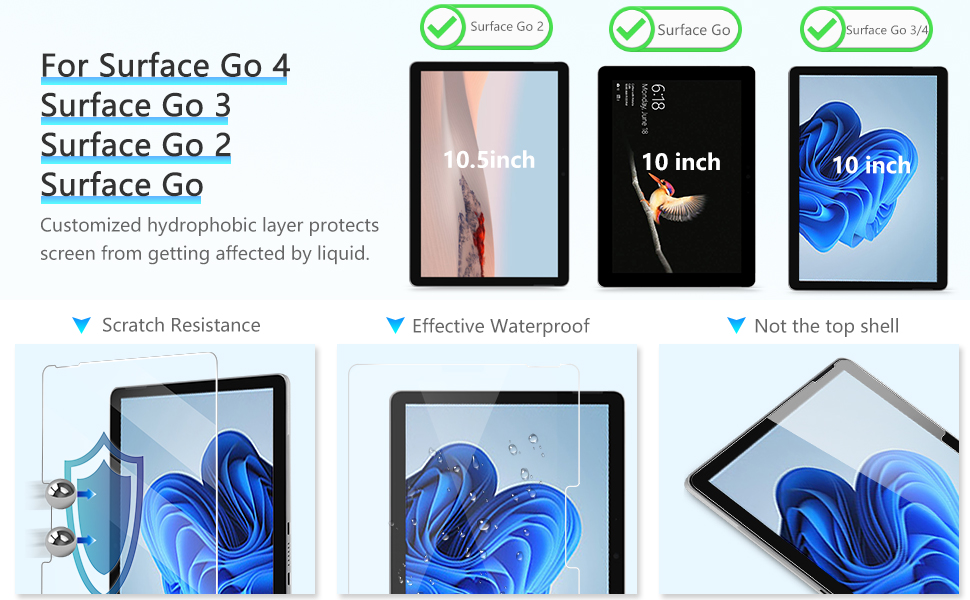
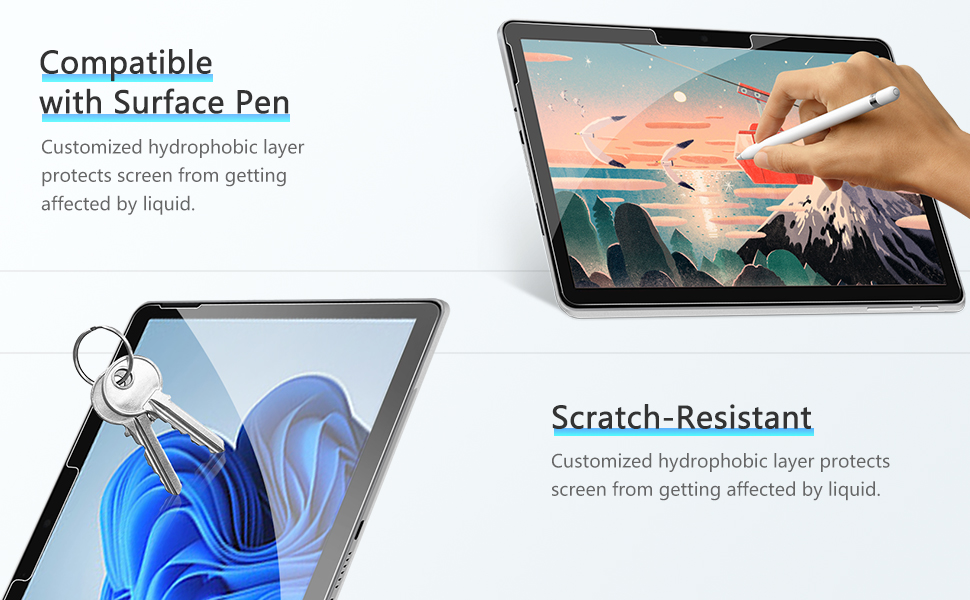
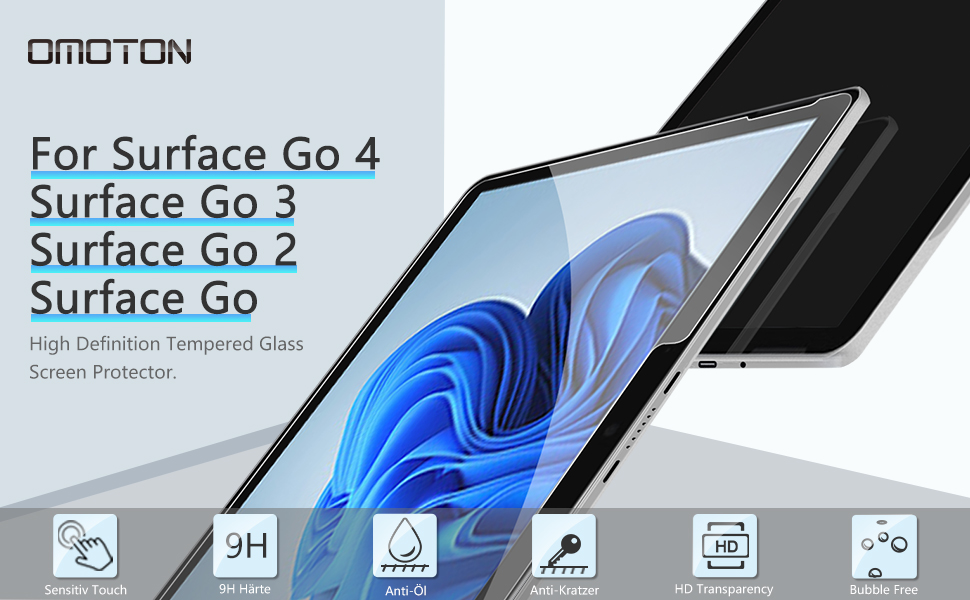
OMOTONโs 2-pack tempered glass screen protectors are engineered specifically for Microsoft Surface Go models (2018-2023). Featuring 9H hardness for superior scratch resistance, 99.99% transparency for vivid display clarity, and an oleophobic coating to repel fingerprints, these protectors combine durability with seamless touch sensitivity. Easy bubble-free installation and smooth 2.5D rounded edges ensure a premium feel, making it the must-have accessory for professionals who demand flawless screen protection.


| ASIN | B07FRD4LQ1 |
| Best Sellers Rank | #98 in Tablet Screen Protectors |
| Brand | OMOTON |
| Brand Name | OMOTON |
| Clarity | 100 |
| Color | Transparent |
| Compatible Cellular Phone Models | Microsoft Surface |
| Compatible Devices | Tablet |
| Compatible Phone Models | Microsoft |
| Compatible Tablet Computer Models | Microsoft Surface Go, Microsoft Surface Go 2, Microsoft Surface Go 3, Microsoft Surface Go 4 |
| Customer Package Type | Standard Packaging |
| Customer Reviews | 4.5 out of 5 stars 3,969 Reviews |
| Finish Type | Smooth |
| Item Dimensions L x W | 9.5"L x 6.74"W |
| Item Hardness | 9H |
| Item Weight | 0.09 kg |
| Manufacturer | OMOTON |
| Material | Glass |
| Model Name | Surface Go Tempered Glass Screen Protector |
| Model Number | 2OM-Surface Go Screen Protector |
| Number of Items | 2 |
| Part Number | 2OM-Surface Go Screen Protector |
| Product Dimensions | 9.5"L x 6.74"W |
| Screen Size | 10 inches |
| Screen Surface Description | Glossy |
| Special Features | 9 H Surface Hardness, Scratch Resistant |
| Unit Count | 2 Count |
| Water Resistance Level | Waterproof |
K**Z
Does the job
easy install fit just right. I accidently got a bubble in it and it wasn't hard to lift and correct.
B**S
We Now Have a Winner...
Looks to be a decent screen protector and it's a good thing two are included in the box. Followed the instructions but they leave a few things to your imagination. I had one dust spot in top left corner after installing. I had to lift the protective screen and very carefully remove the dust with the tip of a pocket knife blade. The dust speck was in the bezel area about half way - 1/4" from edge near the speaker. With the knife point, I coaxed the dust spec away from the adhesive on the screen protector. Instructions say you can lift the screen multiple times and reapply. My experience is different. Lifted the corner just enough to slide the tip of the blade under to get the dust and then put the screen down and worked the air bubbles to the edge. I now have 3 air bubbles that are about 1/4" in diameter in the corner that I can't remove. Lifted the corner of the screen a second time and pressed down using the edge of a credit card to move the air bubbles. Can't get the bubbles out no matter how much I tried. They state small bubbles will work their way out in 1 to 2 days. So now we wait but I don't consider 1/4" diameter air bubbles small. Some observations from limited testing: 1. Fingerprints are gone! The coating they use really works in comparison to just the Gorilla 3 glass used on the Surface Go. 2. Tablet mode and using your finger to scroll the screen now creates a slight gray ghost track that I didn't notice before I applied the screen protector. Not a deal breaker nor a real hindrance to operation - just an observation. 3. This is a HD screen not a matte finish so you will still have glare. So be sure that is what you want. I will rarely use this outdoors so it doesn't really matter to me. The protector does not appear to diffuse the screen. 4. Fit. I aligned the screen to the bottom edge of the black bezel and applied the two tape hinges. That leaves about an 1/8" at the top and 1/16" space on the side edges. I didn't want to lift the whole screen off to adjust is 1/16" upwards and risk it not adhering as I'm experiencing on the corner with air bubbles. Gorilla glass really doesn't need protection but it shows fingerprints like crazy. So that's the reason I purchased this product and it does greatly reduce if not eliminate fingerprints. We'll see how long that lasts... Update 08/17/2018 The seller (Tessmall) sent me an email which stated they would send me a another shipment of two screens at their cost because of the problem I experienced as noted above. That certainly shows they care about their customers. No need to take them up on their offer though. They sent me a search phrase ( omoton 02 tempered glass screen protector installation for tablets ) that provides a YouTube link for installation instructions. It's not rocket science but I would encourage you to view it. I installed the 2nd screen protector as the video instructs but as you will note in the video, it takes time and a good steady hand to get the screen protector aligned to your tablet screen. They provide 3 alignment tabs on the card but the instructions and video only show using two. I highly advise using 3 of the sticky tabs. Turn your tablet over and place the 3 tabs along the long edge (I used the bottom edge). Now flip it over and position the screen protector on the tablet with the adhesive sheet still attached and so it mates with the tablet screen. Carefully position the screen protector so that you have an approximate 1/16" gap on all 4 sides. This is the tricky part - holding the protector so it doesn't slide around while you grab the center sticky tab. That is difficult so I added a setp and put a 3" piece of scotch tape on each side with about 1" fastened to the protector screen and the rest hanging off the edge. Now use those two scotch tape tabs to align the screen to the tablet and when you have exactly where you want it, simply push down on both of those tape pieces and fasten them to the surface the tablet is laying on. Now you have two anchors holding the screen while you fold the other 3 tabs (center one first). With the center tab attached to the screen check the alignment. If still good, fold up the other two tabs. If not, you can realign easily by lifting and re-positioning the tape anchors. Now remove the scotch tape tabs, fold the now hinged screen out of the way and clean the tablet screen as shown in the video. Remove the adhesive protector and fold the screen protector back over onto the tablet. If you secured (pressed down) the hinge tabs to the sides of the tablet when installing them, there will be no slop in the hinge joints and the protector screen will land perfectly on the tablet. Took me longer to type this than actually do it. This second attempt came out perfect, no dust no bubbles. I can't blame the seller for anything other than not including the instruction video link in their advertising which would have cleared up the instructions about "... then clear the left liquid with microfiber cloth." The product and customer service are worthy of the upgraded rating of 5 stars - no more fingerprints! The instructions need some work.
J**A
Nice feeling and very thick. I used them on a MS Surface Pro 3 & 7+ with no issues!
These tempered glass protectors are very thick and even have slightly beveled edges. They are case friendly in that they are slightly smaller than the screen to allow a lip of a case to grab onto the outside edge of the tablet without interference. I thought they went on just fine, it's not my first rodeo applying tablet screen protectors, and I thought the touch quality was excellent as well. I can't speak to longevity from usage as I don't use these tablet very often so they still feel very new to me. But it was great to get a three pack to cover multiple units and it was great that there hasn't been much of a change in several years so they actually fit several different models that I owned. Overall I like them and the price point is such that if you mess up on one at least you have a few others to keep trying. Personally I did not have any problems at all and it's nice to have a spare or two in the box that you could just reach up and replace when the need arrives.
J**L
Good Screen Protector for Surface Pro 13-inch
Good quality and easy to apply though one of the screen protector around the camera lifted and won't stick well, leaving an air bubble. The rest of the screen protector applied fine though. It does add a little more reflection compared to screen without.
K**K
Congratulations! You found the right one. You can buy this and move on with your life now.
Shopping for a tempered glass screen protector for Surface Go turned out to be surprisingly frustrating. This is mainly because: - Almost all of them look more or less the same - Almost all of them have the same 4.x star review - Almost all of them say they are better than their competitor - Price is more or less in the same range - Almost all have some forgettable off brand name Basically, there's really not much to go on to sort out what you really want. I bought two other similar screen protectors and they were both god awful. The first one, I applied it perfectly but there was this ugly bubble right in the middle. There was no lint or anything. Apparently it's just the cheap glue they chose to use. Another one I got, the cut out was so far off, I thought it was a joke and it didn't even include a cut out for the microphone. I honestly thought I would have to go shopping for 5-6 more before I can find something remotely acceptable but I guess I got lucky and picked this one. This particular screen protector is by far the best tempered glass screen protector I have received so far. You can look at the pictures and see how precisely it is cut. It's basically only a small hair line smaller than the Surface Go screen, which is exactly what I wanted. Aside from the cut outs for the cameras and other sensors, you would NOT be able to tell a screen protector has been applied to the screen. This is basically the best you can get. So congratulations! You found the right one. You can buy this and do something more important with your life now. Like laundry. Or binge Netflix. Don't judge me...
R**I
First protector compatible with NEW Go2 - easy installation and well worth the cost!
My error - I ordered the earlier version of this protector as advertised for the original 2018 Surface Go without realizing that the new Surface Go 2 had an additional microphone that needed an opening on the screen protector to work properly. I emailed the seller and the very promptly responded and allowed me to return MY MISTAKE on the original order for full refund, and they promised to let me know as soon as the protector for the new Go 2 wa available. Shortly after, they emailed me back "we have the new protector for Go 2 - here is the link - we appreciate your business" and I promptly ordered. Shipment was prompt, and the product installed with the "placement tabs" very easily and without any blemishes, specks, or bubbles. 100% satisfied with this product and no issues with using touchscreen or surface pen with the protector installed - actually I think the pen feels better on the protector than on the bare screen. I put a protector on EVERY product I have so I have tried quite a few, some good, some not-so-good. This product is the best without reservation and any product I have the takes a protector from this seller will have my business.
T**G
Omotion screen protectors are great products
Second Omotion protector for a Microsoft Surface tablet. (Surface Go-v1 and now Surface Pro 8). Still a great product. Success on the first try. Just like the first time, I have 2 'extra' protectors in reserve should the first one be damaged. You MUST ensure an absolutely clean surface to begin with AND ensure you use some 'canned' air to blow away any/all dust from your work area. Even then you may get 1 or 2 dust motes under the protector. No problem. Gently lift up the protector and use the 'dust cleaner' tape to pick up the dust and then lay it down again. Do not remove the 'hinge' tape until you are completely sure you have no bubbles. I then use a small rubber squeege wrapped in cloth to go back & forth across the screen to complete the seal/seating of the protector. My device was gently used with a couple of very minor scratches on the screen and while they do show through the protector if you really look for them, they did not create any bubbles. Anyone complaining of bubbles did not take the time to properly clean up before applying the protector....
J**J
Screen protector lasted longer than the Surface Pro 7 did.
Bought these after I initially bought my Surface Pro 7, 6 years ago. The motherboard on my Surface Pro has gone caput, but the screen protector did its job at least.
M**D
Go for it
Everything is amazing except price and shipping time. It is really costly and takes almost a month to arrive from US to India. But the product is really good and high quality. Idk why I would need 2 of these but I suppose if you screw up the first one you have got a backup. Fortunately for me I got it right the first time and now I have one extra tempered glass in perfectly good condition. Maybe I'll need it in the future though I doubt it. So, if you have got a surface go, you don't really have any other option. At least when I bought these, this was the only seller selling tempered glass for surface go. Ps. Surface go 2 has the same design as surface go 1 so I am pretty sure this will work for that as well.
J**S
Fits Perfectly
Fits perfectly if you use the guide stickers according to the instructions. It fell into place with no problems. I messed up the first time so make sure to do this in a steamy bathroom to keep the air born fuzz down.
P**V
Perfect fitting and strong glass
Perfect product. Good fit and clear screen. Must buy.
G**G
does the job
no issues, clear instructions, easy to apply, does what its supposed to do
M**A
Easy to apply.
Looks to be a excellent product.
Trustpilot
1 week ago
2 months ago